Embeddable chat widget
One script tag on any page. It renders inside a shadow root, so the host site’s CSS cannot reach in and break it, and it goes full-screen on small phones.
Multi-tenant help desk
A chat widget you drop onto your customers’ sites, a shared inbox where your team answers, and the tickets, help articles and branded portal that carry the conversation the rest of the way.
The demo page is a stand-in customer site running the real widget — add a tenant’s public key to load it.
How it works
Three surfaces, one record of the conversation: what a visitor types in the widget is what your agent reads, and what your agent escalates is what the customer tracks.
Paste one script tag into your customer’s site. It carries the tenant’s public key and brand colour, and styles itself — nothing else to install.
Conversations arrive live in the agent workspace. Unread threads are marked, and a canned response is a slash away when the same question comes round again.
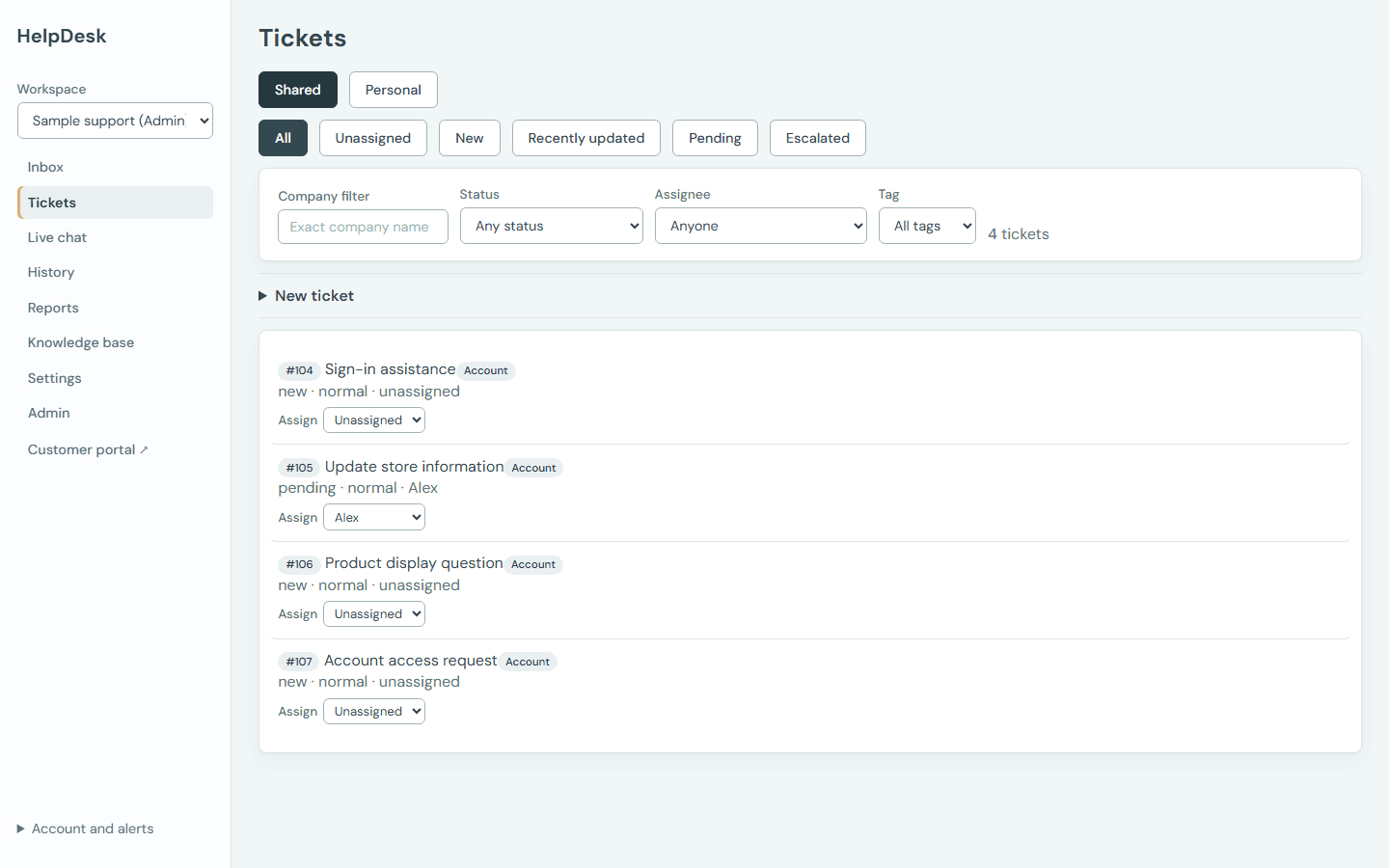
Turn a chat into a ticket, assign it, and let the customer follow its progress from your portal while the timeline records every change.
What’s included
One product covering the visitor’s side, the agent’s side, and the record that connects them.
One script tag on any page. It renders inside a shadow root, so the host site’s CSS cannot reach in and break it, and it goes full-screen on small phones.
Every conversation lands in one workspace. Unread counts follow the thread, with a desktop notification and a sound so a waiting visitor is never missed.
Filter by status and assignee, and read an activity timeline that records who changed what and when. A live chat can be escalated into a ticket without losing the thread.
Write articles in markdown, publish them to your portal, and let the widget surface them so a visitor can find the answer before they ever open a conversation.
Customers sign in to raise a ticket and follow it through to resolution, on a portal that carries your colours rather than ours — one per tenant.
Ticket volume over time, median and 90th-percentile first response, and median time to resolve — each stated alongside how many tickets it was measured from.
In the workspace
The details that decide whether a support tool is pleasant on the fiftieth conversation of the day.
Type /shortcut in the composer to pull in a saved reply. Placeholders like {{visitor_name}} fill themselves in from the conversation, and an unknown placeholder is left visible rather than silently blanked.
Unread counts sit beside each inbox, backed by a desktop notification and a sound. The state is never carried by colour alone — there is a count and a marker on the row.
Status changes, assignment and escalation are all recorded with who did it and when, so a handover does not start with archaeology.
Narrow the ticket list by status and by assignee — the two questions an agent actually asks when picking up the queue.
Reporting
Each figure is shown with the sample it was measured from, so a fast-looking median drawn from two tickets says so.
Sign in to set up a tenant, publish your first articles, and copy the embed snippet for your site.